Product Manual and Assembly Guide Printing in Qatar
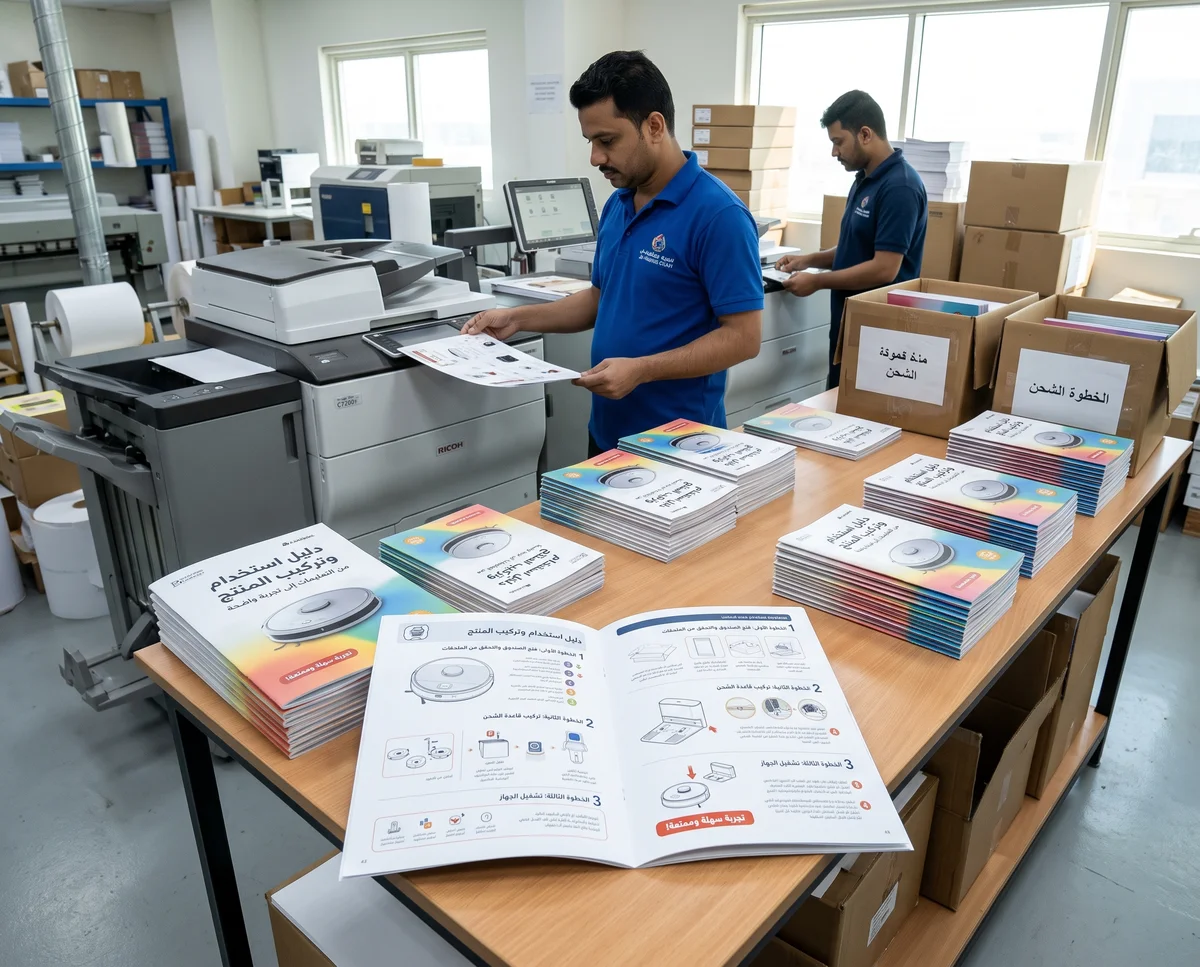
A product can arrive in attractive packaging and still leave its customer wondering where to begin. Which part goes on first? Where are the cleaning or operating instructions? Product manual and assembly guide printing in Qatar turns approved product information into steps readers can follow. For businesses in Doha and across Qatar, planning this document early helps keep the packaging, product and instructions aligned, while leaving enough time to create a clear, readable guide.
Define the guide’s purpose before choosing its format
Start with the task the document needs to support. Will customers assemble separate components, operate the product for the first time or check care instructions after purchase? Each purpose needs a different content structure. Assembly instructions follow a practical sequence, while a user manual needs sections that are easy to find. If several products share a guide, their differences must be clearly identified in both the text and illustrations.
- A quick-start sheet covers the essential steps customers need when opening the packaging.
- An assembly booklet identifies components, tools and the order of assembly.
- A user manual brings together approved operating, care and reference information.
- A compact care card stays near the product for regular reference.
Turn information into actionable steps
Build each step around a clear action, such as “Place the base on a level surface,” then add the detail needed to complete it. Avoid combining several different operations into one long paragraph. If a task depends on completing an earlier step, state that connection explicitly. Use consistent component names throughout: changing the name of the same part between pages can confuse readers even when every sentence is grammatically correct.
Give instructions their own space
A brief brand introduction can sit on the cover or final page, while operating pages need room for explanation. Keep logos and decorative headings from competing with step numbers. Warning and operating information should come from the party responsible for the product and be reviewed against its actual use. Design should make that information visible and organised; it should never fill gaps with assumed technical instructions or unapproved promises.
Make illustrations part of the explanation
A useful illustration shows something words struggle to describe: a component’s orientation, a screw location or the difference between two positions. Keep the viewing angle consistent where possible, and connect component labels to the parts list. Give small details their own enlarged illustration instead of shrinking a busy overall image. When using product photographs, choose a simple background and check that the relevant detail remains visible at the final printed size.
- Match illustration numbers to the steps they explain.
- Use clear arrows that do not overlap component outlines.
- Identify similar parts with letters or numbers, rather than colour alone.
- Check that every illustration represents the model actually supplied in the packaging.
Plan Arabic and English together
Adding a translation after the layout is finished can result in small text or unbalanced pages. Decide early whether the languages will appear on facing pages, in separate sections or as independent editions. Account for the reading direction of each language while preserving the connection between text and illustrations. Where product components carry English labels, placing those labels beside their Arabic translations can help readers identify the correct part.
Check terminology against the actual product
Create a consistent list of button, component and accessory names, then review it with someone who knows the product. Natural wording matters, but the translation must also direct readers to the correct item. Keep units, model numbers and page references consistent. Whenever one language changes, review the other edition so it does not retain an outdated step or refer to an illustration that has moved.
Choose size, paper and binding around actual use
Measure the available space inside the packaging, then test text and illustrations at the proposed size. A folded sheet suits short instructions, while a booklet allows explanations to run across consecutive pages. Binding that lets pages open easily may be useful when customers need both hands for assembly. Discuss these details before approving the file, because changing the dimensions later may require the entire layout to be reworked.
Choose a surface that is comfortable to read under normal lighting, and check reflections if glossy images or finishes are involved. Review show-through from the reverse side, particularly where pages contain dark areas. Digital printing can be discussed for initial copies or batches with changing instructions, with the production method selected according to the order specifications.
Test a physical copy before approving the quantity
Request a sample at the final size, place it inside the packaging and try following the instructions with the product. Ideally, involve someone who did not write the guide: the team’s existing knowledge can make missing steps difficult to spot. Record where the reader pauses or asks questions, then revise the relevant wording or illustration. When discussing booklet and folded literature printing, explain the required page order and opening direction.
- Check the readability of the smallest text and component numbers.
- Review folds, trimming and binding margins so information does not disappear into a crease.
- Test any QR links using the printed sample.
- Match the cover, final file and packaging contents before approving production.
Manage revisions and prepare a clear printing brief
Place the revision number and review date in a consistent location, and name files so they identify the relevant model and language. Keep one approved production file and assign responsibility for approving updates. For a clear brief, provide the quantity, dimensions, page count, languages, packaging measurements and required date, along with the status of the text and illustrations. These details support a useful discussion of scope and cost without assumptions that could affect the result.
To discuss product manuals and assembly guides for your business in Doha or elsewhere in Qatar, contact Q Trend on WhatsApp at +974 7784 9090. Send your draft instructions, product photographs and packaging dimensions to discuss design, printing and suitable specifications for your order.
Frequently Asked Questions
How does a user manual differ from a quick-start sheet?
Should Arabic and English instructions share one booklet?
What details are needed for an assembly guide printing quotation?
How should product instructions be updated after printing?
Need printing or advertising services in Qatar?
Contact Q Trend today for a free quote on your project in Doha and across Qatar.
Related Articles
Book and Novel Printing in Qatar: From Manuscript to Printed Copy
Annual Report Printing in Qatar: Present Your Company’s Year Clearly
Custom Board Game and Card Printing in Qatar: From Concept to Playable Prototype